SetupAdvancedMonitoring
Monitor Your OpenClaw Agents: Dashboard Setup
Set up a Next.js dashboard to monitor your OpenClaw agents. Access securely over Tailscale.
8 min readLast updated Feb 19, 2026
Stuck?Check the troubleshooting index or ask in Discord.
Overview
A real-time dashboard for monitoring your OpenClaw agents. View agent status, context usage, tokens, costs, and recent activity.
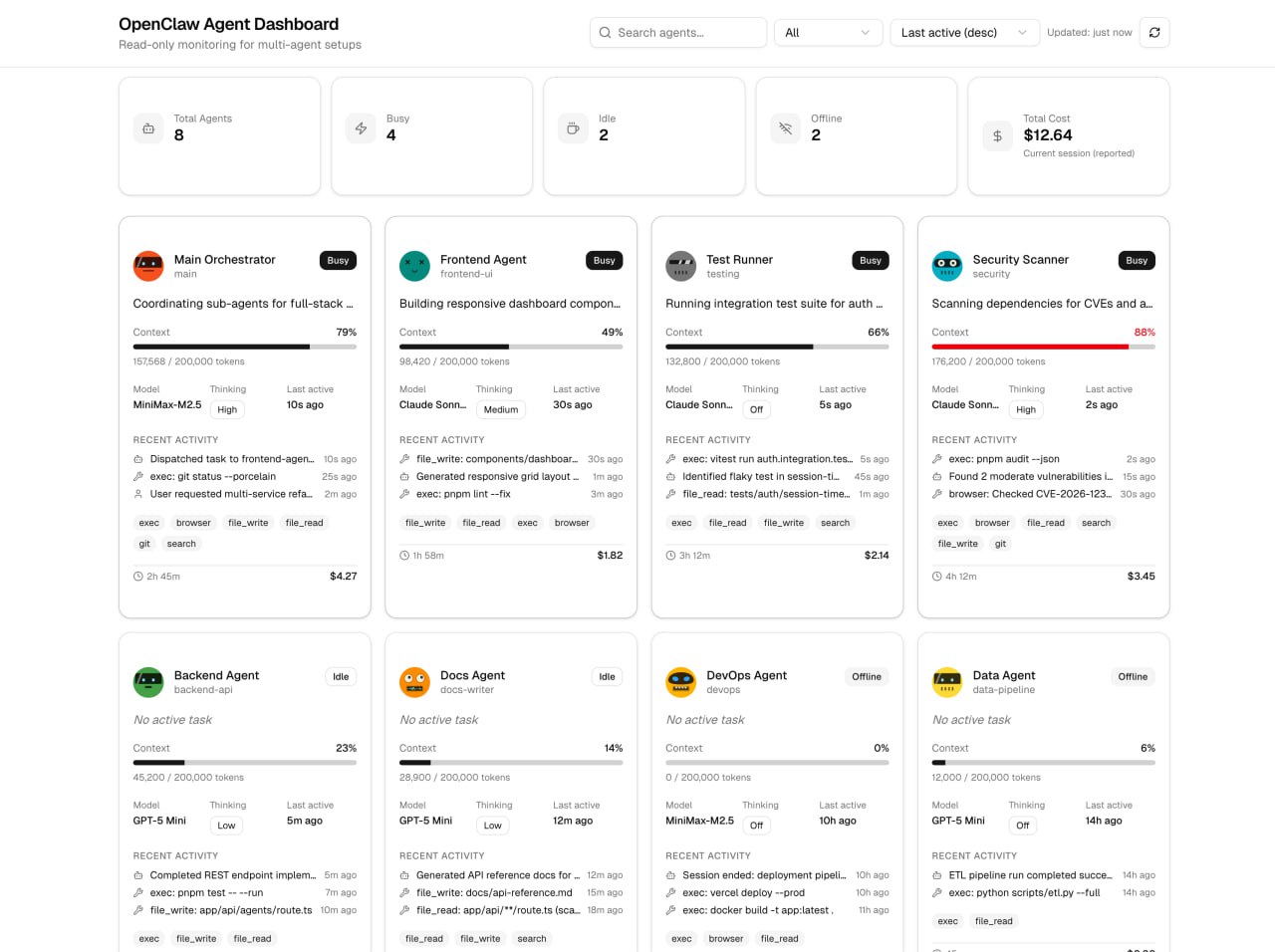
The dashboard reads your local OpenClaw session files - no data is sent externally. Access it securely over Tailscale from any device.
Let Your Agent Do It
Just tell your OpenClaw agent to set everything up. Here's what to send:
Send this to your agent:
"Set up the agent dashboard for me:
- Clone https://github.com/morgancrozier/openclaw-agent-dashboard into ~/openclaw-agent-dashboard
- Run 'pnpm install'
- Create .env.local with OPENCLAW_DATA_PATH=~/.openclaw
- Update app/api/agents/route.ts to read from real OpenClaw session files (they're in ~/.openclaw/agents/*/sessions/*.jsonl). Use lib/agent-utils.ts as a starting point - make it show real agent status, context %, tokens, and recent activity.
- Install Tailscale if not installed, run 'tailscale up' to log in, then run 'pnpm dev'
- Tell me the URL to access it (use your Tailscale IP)"
That's it! Your agent will handle the clone, config, Tailscale setup, API connection, and startup.
Or Do It Yourself
Prefer to set it up manually? Here's how:
1. Clone & Install
bash
git clone https://github.com/morgancrozier/openclaw-agent-dashboard
cd openclaw-agent-dashboard
pnpm install
2. Configure
bash
cp .env.example .env.local
# Edit .env.local and set:
OPENCLAW_DATA_PATH=~/.openclaw
3. Connect the API
Edit app/api/agents/route.ts to read from ~/.openclaw/agents/*/sessions/*.jsonl. Use lib/agent-utils.ts as a starting point.
4. Run
bash
pnpm devVisit http://localhost:3000
5. Remote Access (Tailscale)
bash
# Install Tailscale
brew install tailscale  # macOS
tailscale up
Access at http://100.x.x.x:3000 (your Tailscale IP)